 SoulNexus
Open in canvas ↗
SoulNexus
Open in canvas ↗
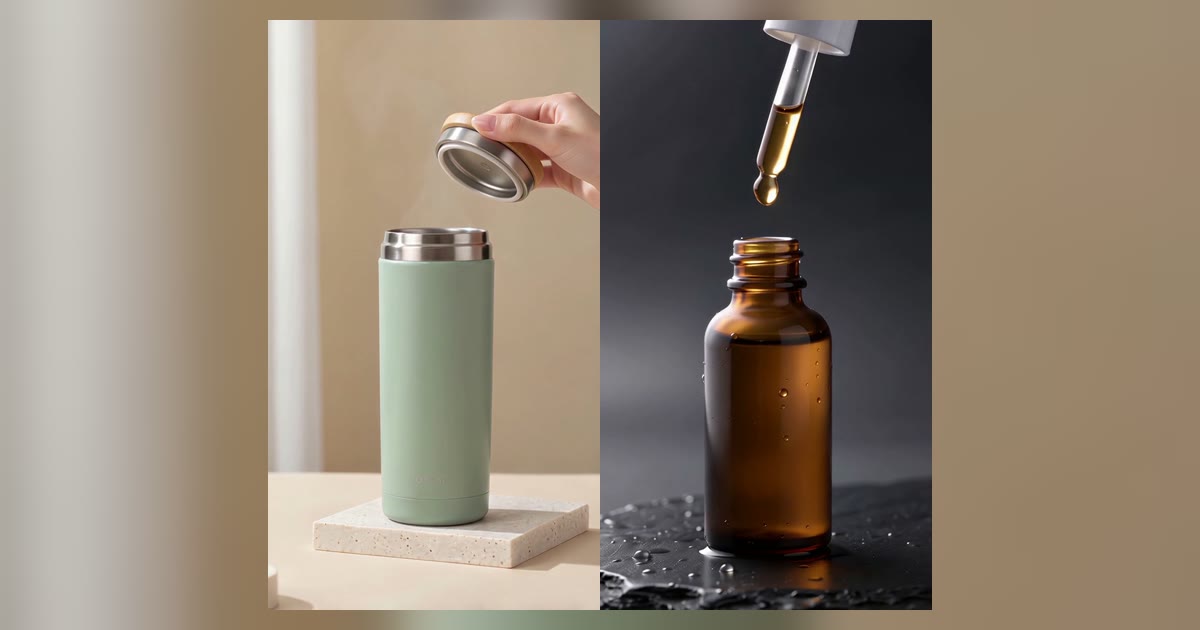
Short answer: upload one clean product photo as reference image 1, describe exactly one camera move and one action, and tell the model to keep the product's shape, color, material and proportions unchanged. In our test on 26 October 2026, Seedance 2.0 Mini 720p turned two single photos into two usable 5-second 9:16 clips, about six minutes each, with no editing.

What you need

One product photo. A plain background and a front or three-quarter view work best. JPG, PNG or WebP, 300 to 6,000 px on each side, with an aspect ratio between 0.4 and 2.5 (very tall detail-page images are rejected).
A video model that accepts reference images. Seedance 2.0 takes up to 9 reference images per clip; Seedance 2.5 takes up to 30.
One idea per clip. 5 seconds holds one camera move and one action. Plan several clips instead of one busy prompt.
Step by step in SoulNexus
Open the Video studio.
Drop the photo into Reference images. It becomes image 1 and can be mentioned in the prompt.
Pick a model. For 4 to 15 seconds choose a Seedance 2.0 option; for up to 30 seconds choose Seedance 2.5. The duration and ratio options change to match the model (see the full comparison).
Choose 9:16 and 5 s for Reels, Shorts or TikTok.
Write the prompt with the formula below, then confirm. The clip appears in the results panel and stays in your history.
The prompt formula
Every line has one job. Leave out anything the camera cannot see.
[Format], vertical. The [product] from @image1 [placement], [light].
The camera [one move, with direction and amount].
[One action: who or what does it, from which side].
Keep the product's shape, color, material and proportions identical to @image1.
No text, logos or watermarks.
Test 1: insulated tumbler
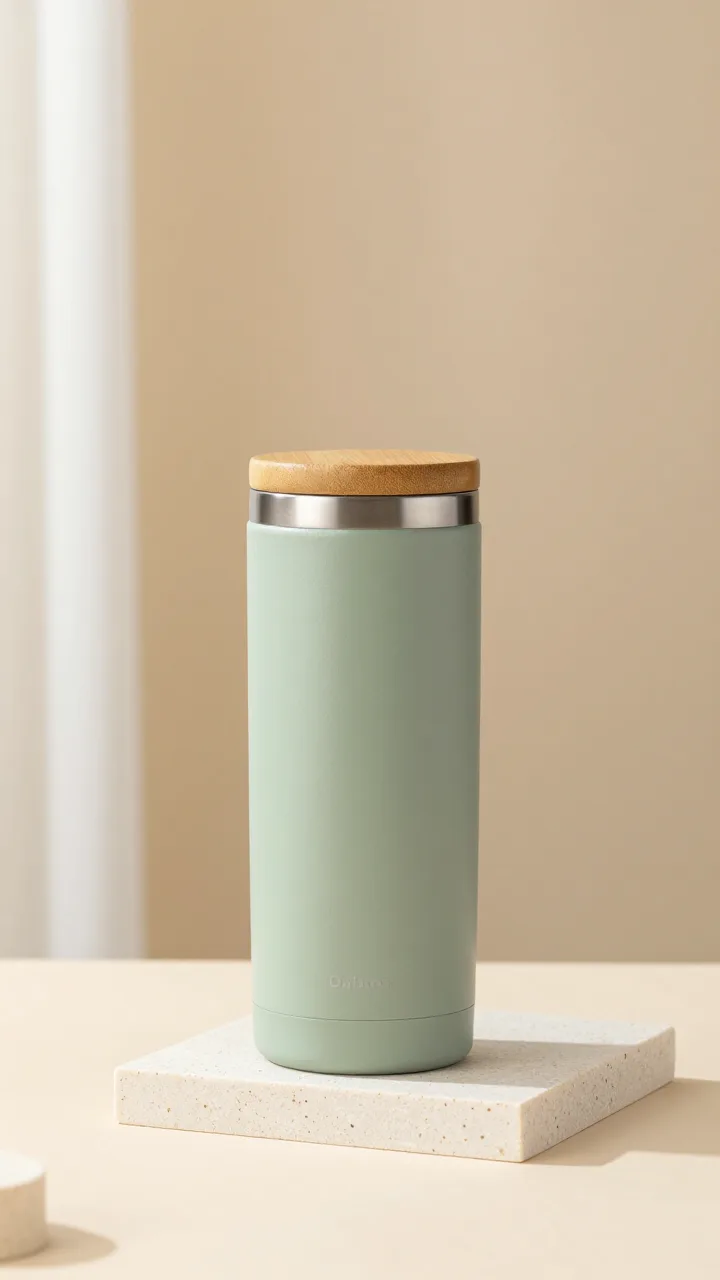
We wrote the prompts in Chinese. The English version below is a faithful translation; the original is in the Chinese edition of this article.
Vertical product clip.
The sage-green tumbler from @image1 stands on a beige stone block, morning light slanting in from a window on the left.
The camera starts slightly low and slowly orbits about 30 degrees to the right while the light glides across the matte surface.
A hand enters from the right, gently unscrews the bamboo lid, a wisp of steam rises, and the hand pauses, then leaves the frame.
Calm pace, shallow depth of field.
Keep the tumbler's shape, color, material and proportions identical to @image1.
No text, logos or watermarks.
Worked: the tumbler kept its color, matte finish, bamboo lid and proportions in every frame, and the hand action (unscrewing the lid) reads clearly.
Missed: the orbit is barely visible and there is no visible steam. Two instructions competed with the hand action, and the action won.
Test 2: serum bottle
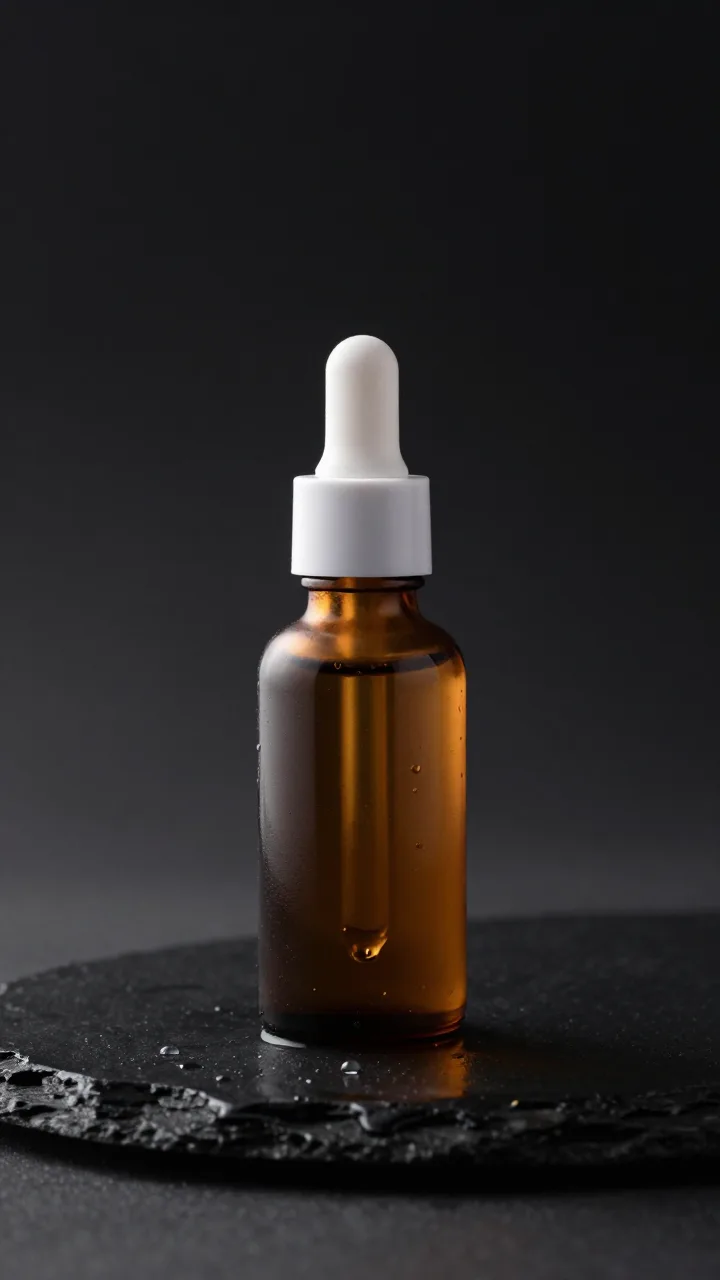
Vertical cosmetics ad.
The amber serum bottle from @image1 stands on wet black slate against a dark background, a soft rim light tracing its edges from behind.
The camera slowly pushes in; a water droplet slides down the glass.
Then the white dropper lifts and a single amber drop falls back into the bottle, catching the light.
Keep the bottle's shape, color, material and proportions identical to @image1.
No text, labels or watermarks.
Worked: the push-in, the droplets and the falling amber drop all appear in order, with the bottle unchanged.
Missed: nothing obvious at normal speed. The push-in is gentle; ask for a closer end frame if you want a tighter shot.
Fixes for common problems
Problem | What to change |
|---|---|
The product changes shape or color | Use a sharper front-facing photo without a label, and keep the line "identical to @image1". |
The camera barely moves | Give the move its own sentence and drop the competing action, or describe it as a framing change ("from a medium shot to a close-up"). |
Hands look odd | Let hands enter from a frame edge, do one simple action and leave. Avoid close-ups of fingers. |
Garbled text or logos | Ask for no text, and add price tags or captions later in an editor. |
The clip feels rushed | Remove a step, or move to a longer duration with the same single action. |
Limits you will hit
Seedance 2.0 (Mini, Fast, Full) | Seedance 2.5 | |
|---|---|---|
Duration per clip | 4–15 s | 4–30 s |
Reference images / videos / audio | 9 / 3 / 3 | 30 / 10 / 10 |
Aspect ratios | 16:9, 9:16, 1:1, 21:9, 4:3, 3:4 | 16:9, 9:16, 1:1, 21:9, 4:3, 3:4 |
Resolution in SoulNexus | 720p | 720p |
What it costs
With images only, generation is billed per second of output, so a 10-second clip costs twice as much as a 5-second one on the same model. Adding a reference video switches the job to usage-based billing that grows with the length of the reference clip, so trim reference videos to the part you need. Current rates are on the pricing page.
FAQ
Can I use a phone photo of my product?
Yes, if the product is sharp and fills a good part of the frame. Remove clutter first; anything in the photo may show up in the video.
How long does one clip take?
Each of our 5-second 720p clips took about 5 to 7 minutes from submission to download. You can leave the page; the result stays in your history.
Can the video include the price or product name?
Add text afterwards. Video models still misspell on-screen text, which is why both prompts ask for none.
Do I need a reference video?
No. A reference video helps when you want to copy a specific camera rhythm, but it changes billing to usage-based and is not needed for simple product shots.
How we tested
Both clips were generated on 26 October 2026 with the Seedance 2.0 Mini 720p option, 5 seconds, 9:16, one take per product, and are shown unedited apart from compression for the web. The two product photos were themselves generated with an AI image model (Z-Image) so that no real brand appears.
Sources
Try this prompt
Vertical product clip. The sage-green tumbler from @image1 stands on a beige stone block, morning light slanting in from a window on the left. The camera starts slightly low and slowly orbits about 30 degrees to the right while the light glides across the matte surface. A hand enters from the right, gently unscrews the bamboo lid, a wisp of steam rises, and the hand pauses, then leaves the frame. Calm pace, shallow depth of field. Keep the tumbler's shape, color, material and proportions identical to @image1. No text, logos or watermarks.
SOULNEXUS CANVAS
Your next story starts here.
Take this idea into your own creative space. You stay in control of when generation starts.
Open in canvas ↗